Opex AI
Transforming fragmented team knowledge into shared, AI-powered workflows for startups and small businesses.
View it live!
ROLE
Product Designer
TEAM
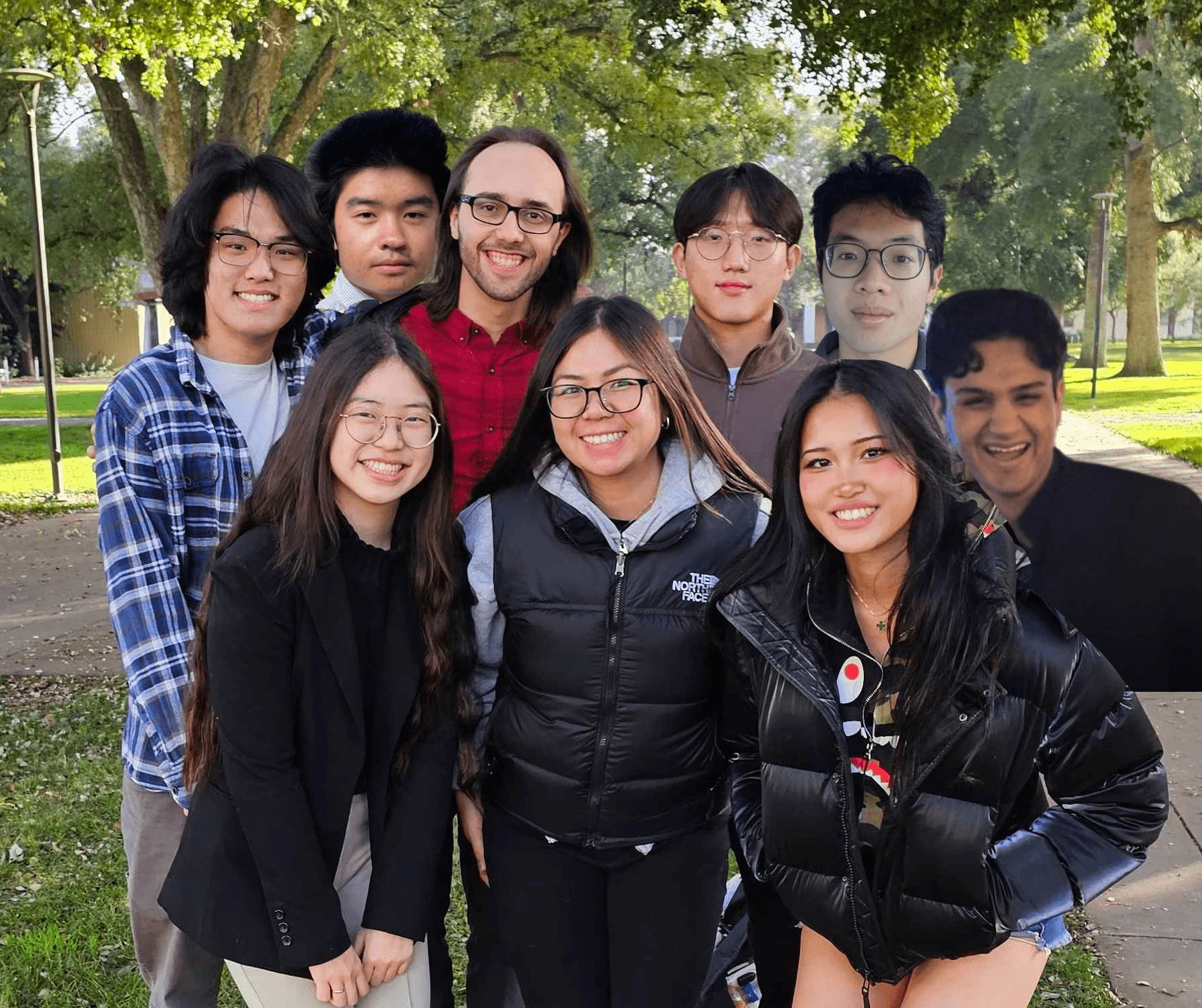
3 Designers, 5 Developers, 1 PM, 2 Mentors
DURATION
7 weeks (October 2025 - December 2025)
TOOLS
Figma, Figjam, Notion, Jira

CONTEXT
Company
Opex AI is a tech company that makes products for small start-ups, helping them build fast, scalable, and efficient workflows.
Problem
Just like a family recipe known by only one person can be lost, many companies rely on undocumented workflows owned by a few key individuals. When those people leave, critical process knowledge disappears
Impact
Shipped and handed off a client-ready AI documentation MVP, enabling startups to retain critical workflows and reduce knowledge loss.
View it live!
SOLUTION SNEAK PEEK
Capture workflows, then collaborate to refine the solution
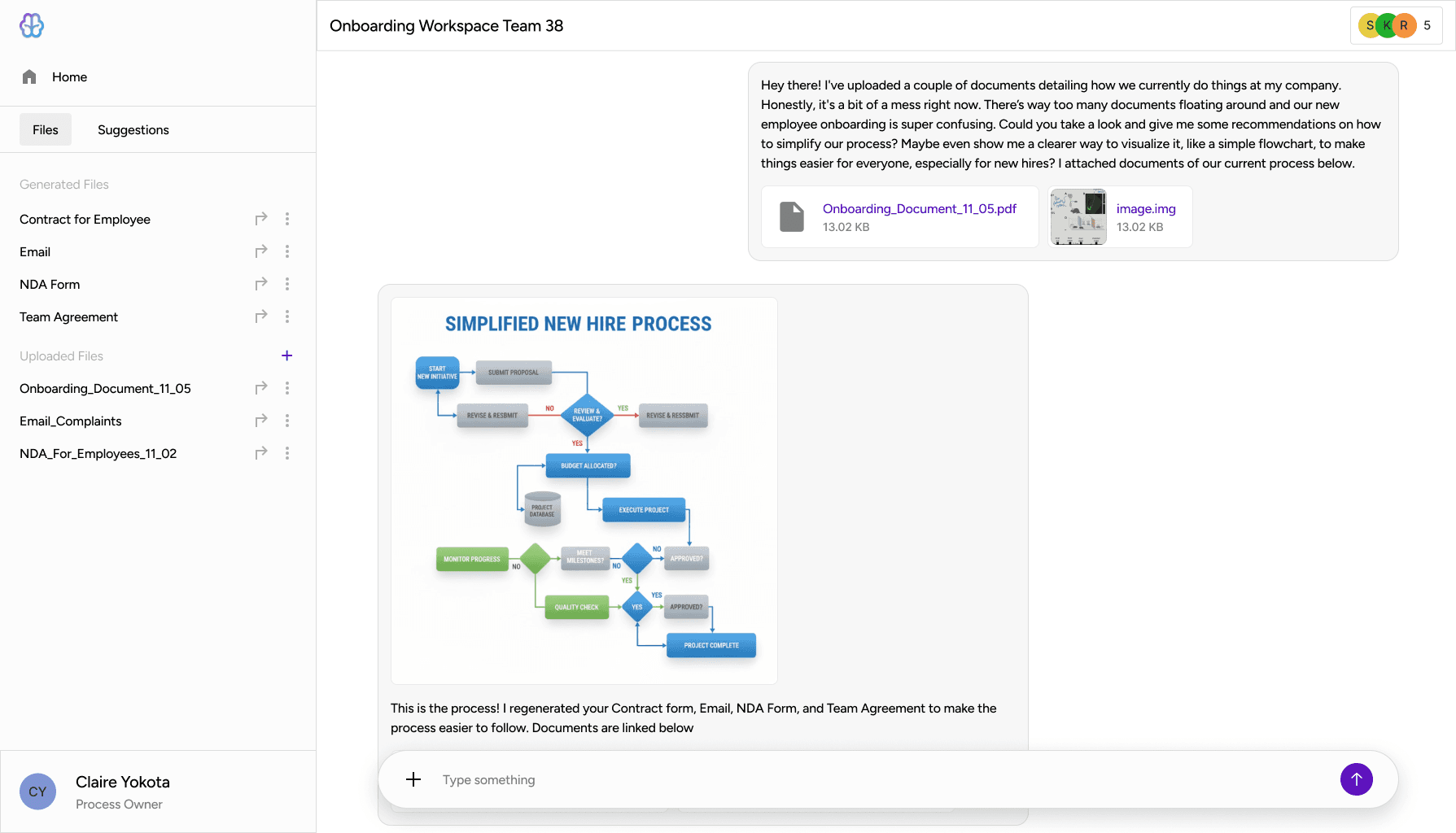
Step 1: Chat to capture workflows
1
Chat with AI
Upload files, and AI will draw out a workflow of your process
2
Process Documented
Files are generated to log your documents and process
Step 2: Collaborate to refine the solution
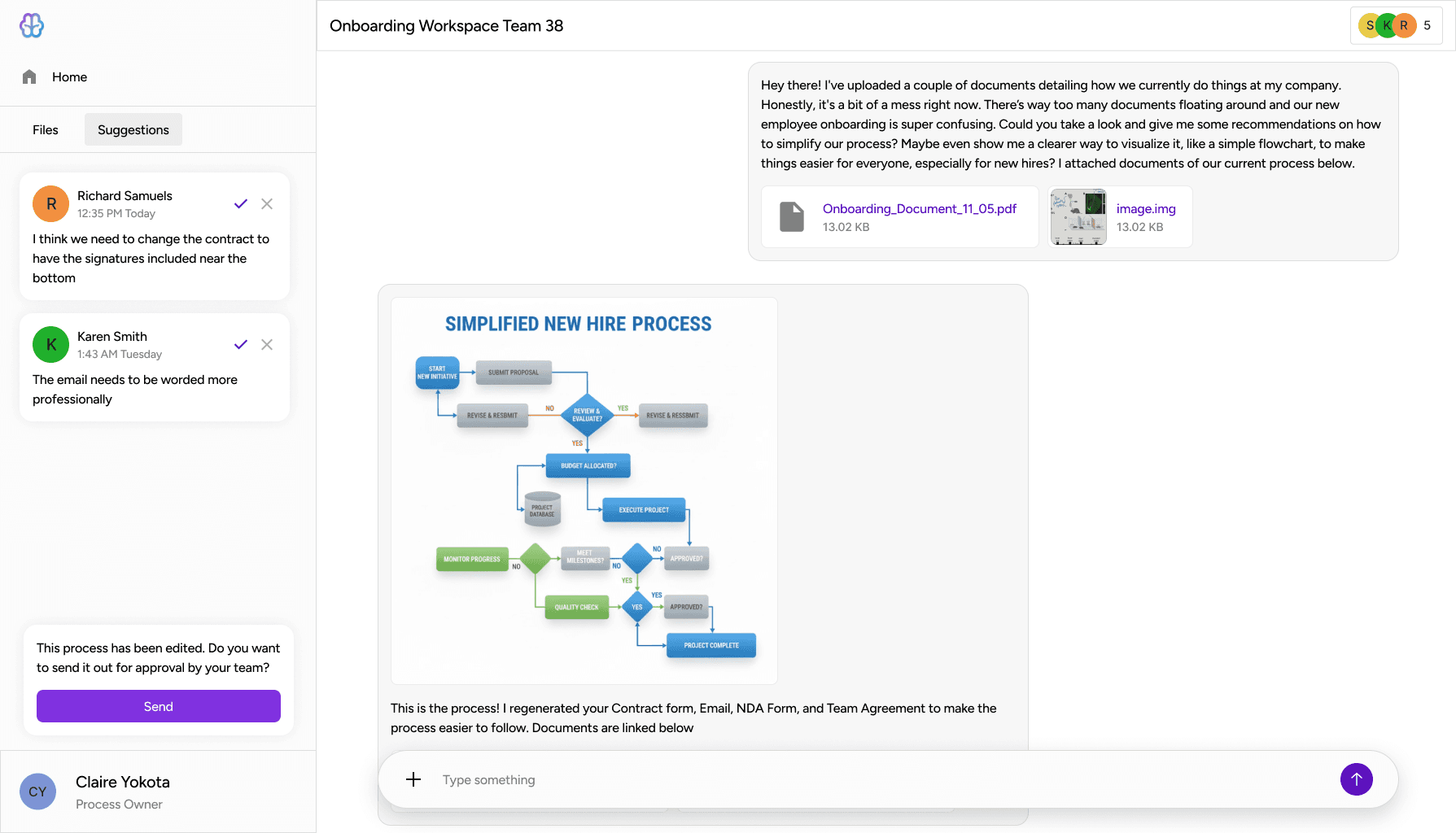
3
Receive suggestions
Approve or deny suggestions from. your team
4
Send for Approval
Notify your team to approve or disapprove of the current process
Jump to Full Solution
INITIAL RESEARCH
It’s tedious for small businesses to document and organize critical processes efficiently.
Small and medium-sized businesses often struggle to document and align on processes because it’s tedious, time-consuming, and requires multiple teams and managers to continuously draft, revise, and approve workflows. This slows down operations, creates confusion, and makes collaboration inefficient.
Current process is manual and tedious
Client:
"It takes multiple managers and teams to keep drafting, revising, and aligning processes before finally approving and publishing them."
Prospective User:
"People [usually] describe the process to me verbally, and then I would be the one who would manually draw the process"
COMPETITIVE ANALYSIS
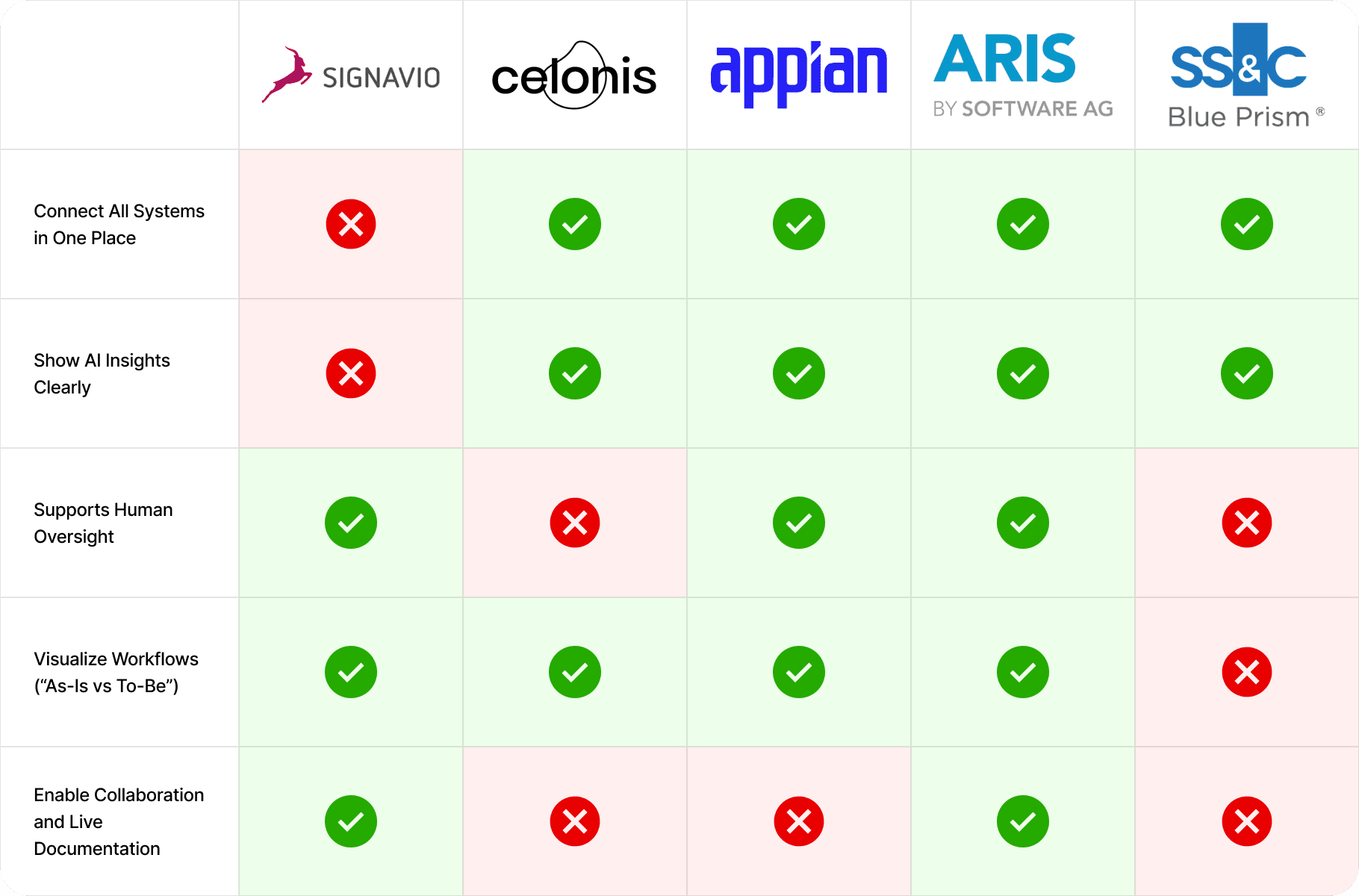
Descoping for Focus After Identifying Market Overlap
After analyzing 10+ AI governance and documentation tools, we identified significant feature overlap and unclear differentiation across the market. Rather than competing on breadth, we intentionally descoped non-essential features to focus on a single, high-impact workflow: capturing and structuring undocumented processes. This strategic pivot aligned stakeholders around a clearer product vision and enabled the team to deliver a polished, client-ready MVP in just 7 weeks.
Table: versatile; displays detailed info
USER FLOWS
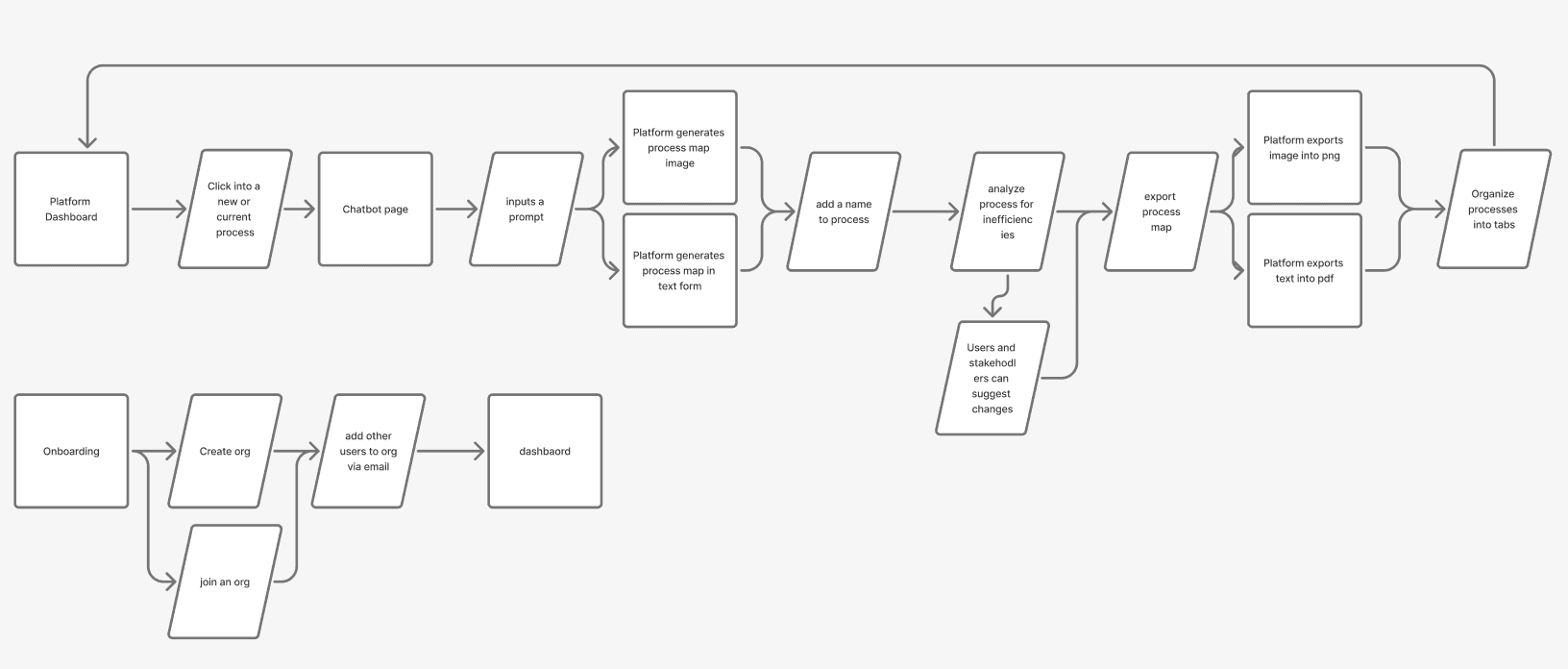
Designing a Linear-to-Collaborative Workflow to Reduce Process Friction
These flows informed how we structured the product around a single, linear core journey—from prompt → process generation → analysis → collaboration → export—while intentionally layering collaboration and feedback at key decision points. Mapping this end-to-end flow helped us prioritize clarity, minimize cognitive load, and ensure that process creation, review, and sharing felt continuous rather than fragmented across tools.
Creating a Process and Onboarding Flows
EARLY DESIGNS & ITERATION
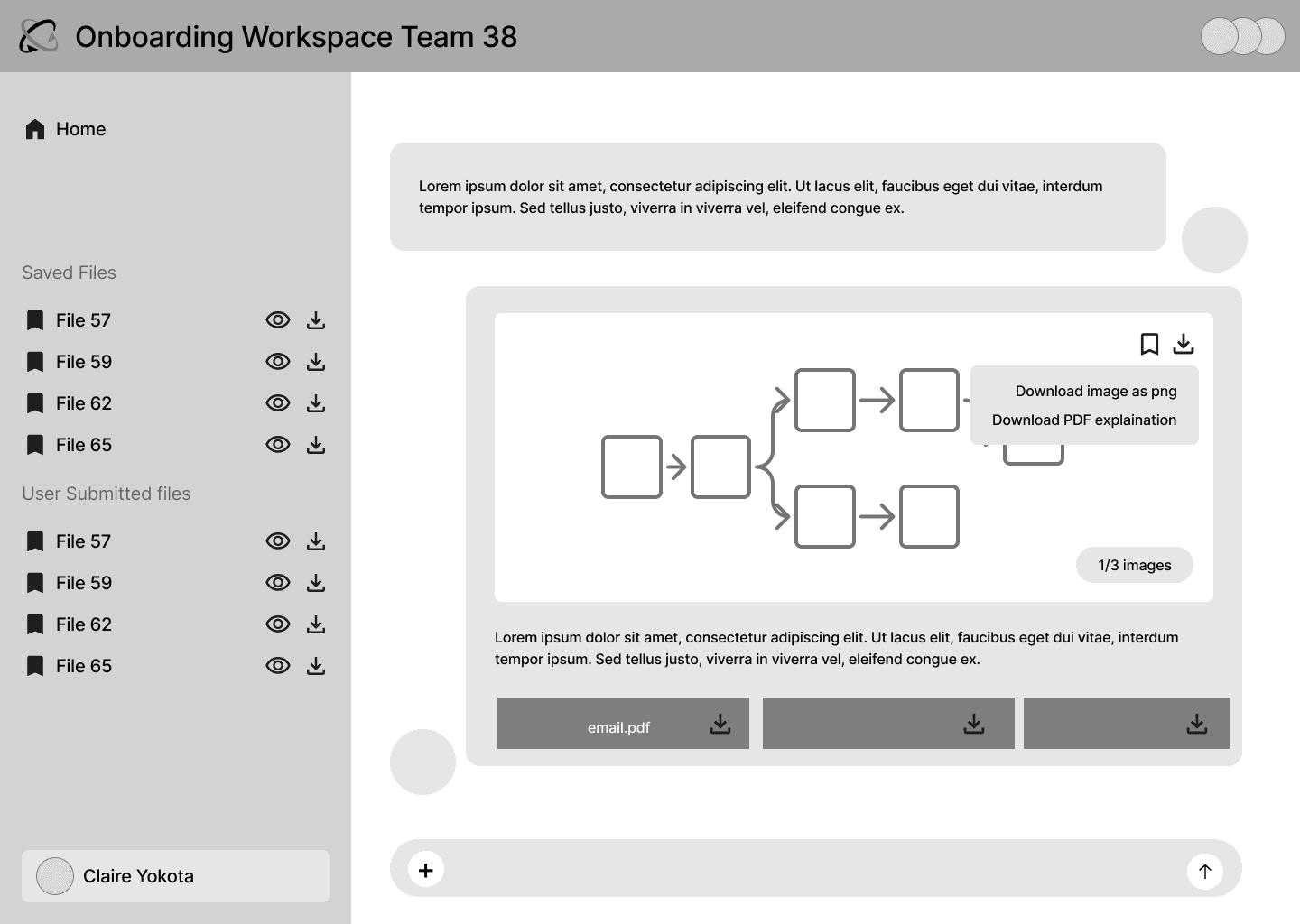
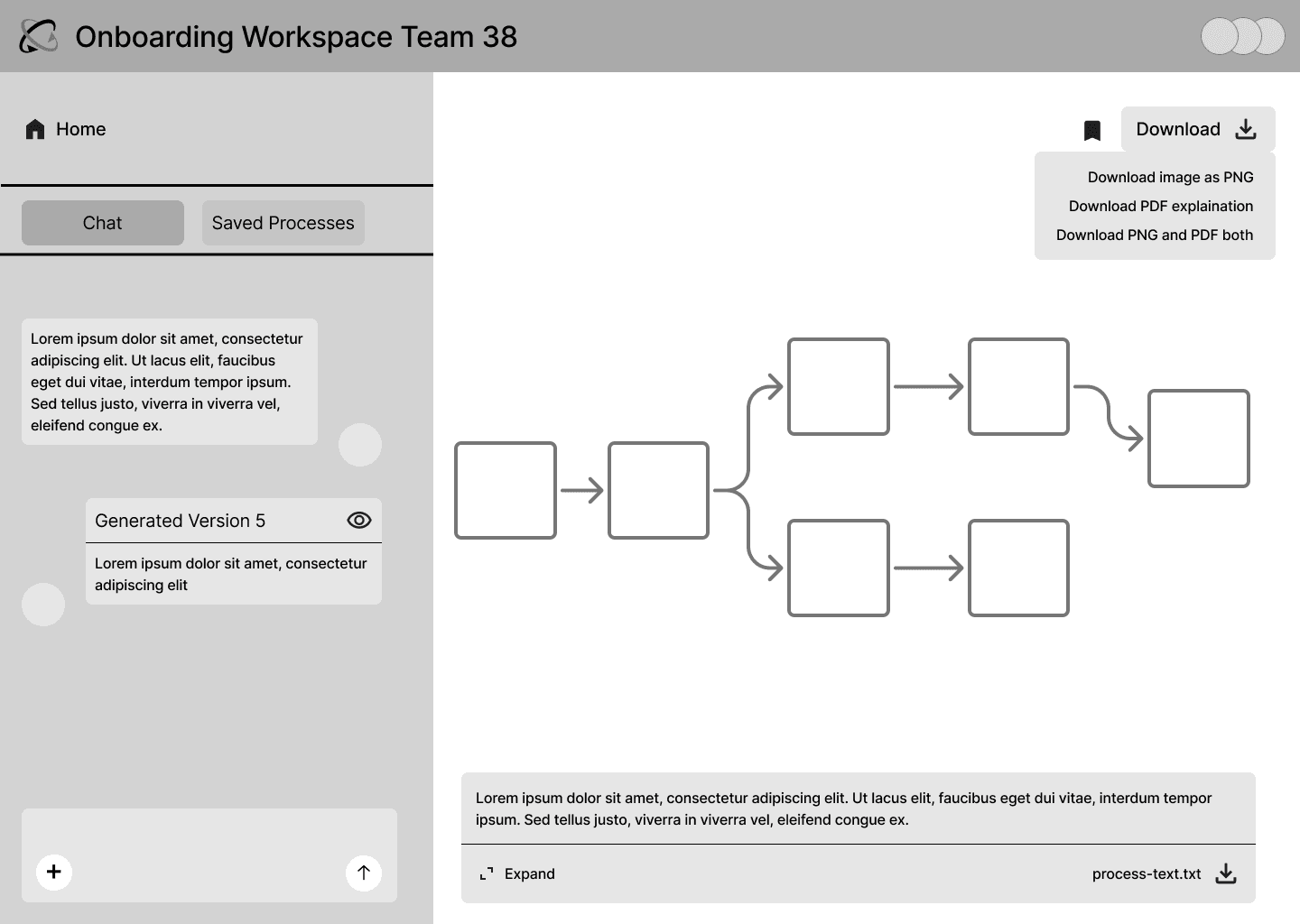
Prioritizing Conversation Over Canvas to Reduce Cognitive Load
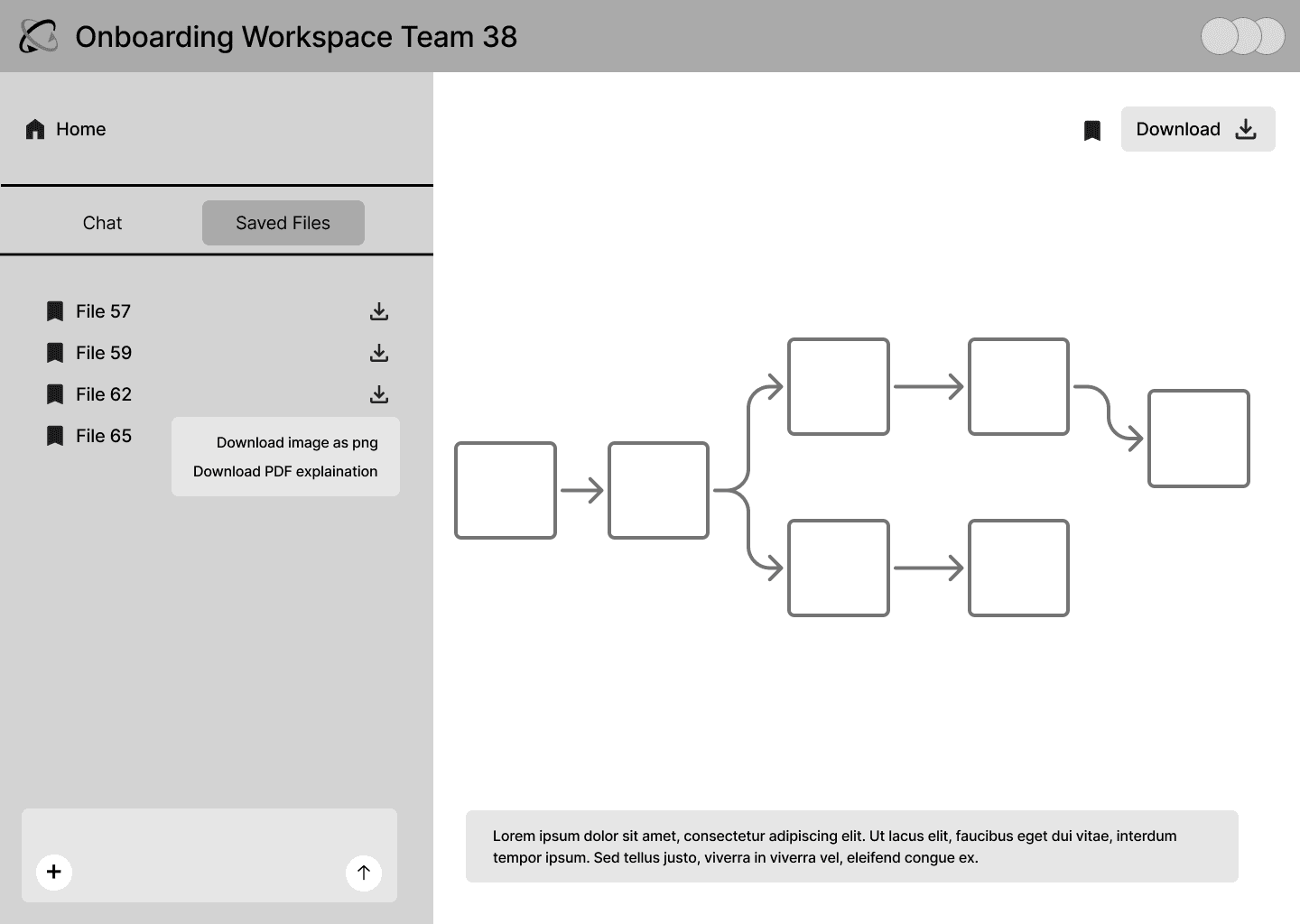
Exploring a canvas-first layout revealed that emphasizing the generated process map too early pulled attention away from the core task: clarifying and refining the process itself. Shifting to a chat-first experience grounded users in conversation, allowing them to iterate, ask questions, and make decisions before engaging with the visual output. This approach reduced cognitive overload, better matched user expectations of AI tools, and positioned the process map as a supporting artifact rather than the primary interaction.
Chat-first version (chosen): Clear, familiar, and easier to iterate
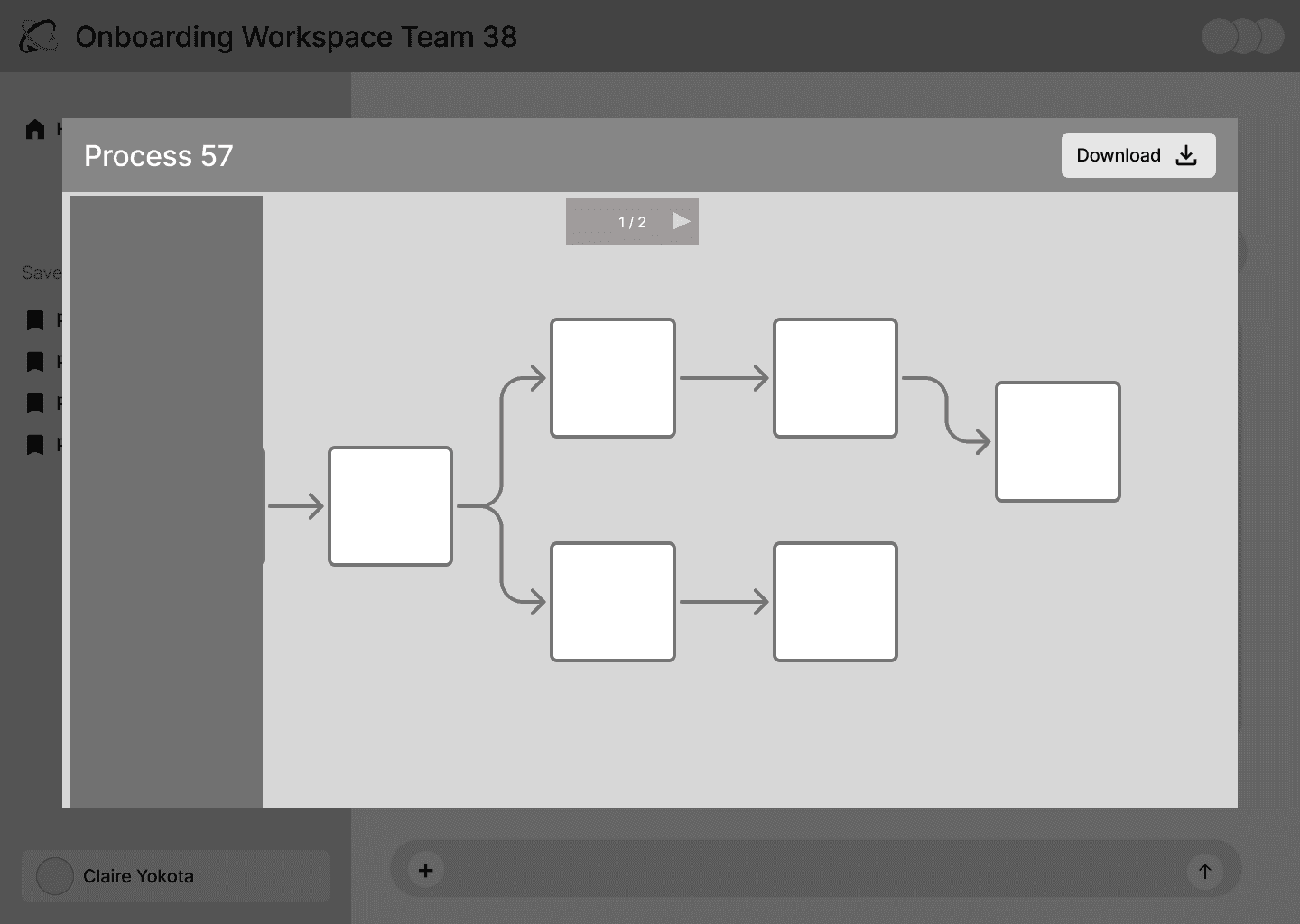
Canvas-first version: High visual weight, low clarity
DEVELOPER PROTOTYPE
Translating Design Concepts into Functional, Testable Solutions
The prototype was built through ongoing collaboration with developers to ensure the design could be implemented effectively. I worked closely with them to translate visual and interaction concepts into functional components, iterating on technical constraints and aligning on feasibility. The process involved continuous feedback loops, adjustments, and problem-solving to bridge the gap between design intentions and a working, testable experience.
Dev Prototype
TESTIMONIALS
How Stakeholder Feedback Validated Clarity and Operational Value
Stakeholders emphasized how the system’s organization and clarity aligned with how operations teams actually work, reinforcing that the design supported real workflows, not just conceptual ideas.
Validated by Real Operations Needs
Prospective User
"As an operations person, having it organized that way is also really helpful."
Client
"This is an immense value. I had a vision but you turned a rough idea into a clear, concrete, usable product. I think you guys have done an amazing job."
THE FULL DESIGN SOLUTION
Coordinate team workflows in real time with an interactive, collaborative solution
The final design turns the concept into a fully interactive, team-focused tool. It allows multiple users to work together in real time, with features and workflows aligned through close collaboration with developers. The prototype demonstrates how the solution functions in practice, showing the integration of team processes, coordination, and interactive elements in a way that simulates the live product experience.
Starting a process

Admin collaboration features

Member collaboration features

REFELCTION
Challenges & Next Steps
Next Steps
Implementing Advanced Collaboration Features: Due to time constraints, developers delivered only basic collaboration tools. The next step is to implement richer features such as simultaneous editing, comment threads, and notifications to support fully team-focused workflows and enhance real-time coordination.
Fleshing Out Permissions and Access Control: We need to define admin, editor, and viewer roles with clear action boundaries. Establishing this structure will help teams collaborate efficiently while keeping sensitive workflow information secure and well-organized.
What I would do better next time
Increase Iterative User Testing: While testing was conducted during the MVP phase, more frequent, smaller feedback sessions with prospective users would have surfaced pain points earlier. Next time, I would incorporate continuous user testing to guide design decisions and refine workflows more effectively.